Skip to the page

For operators

Your office, on one sheet.

Customers, departments, routes and passengers. The per-mile matrix suggests prices; you set every one. Invoices from locked weeks. Crew paid with a double check. The TfL upload and the visit, ready. Minicab module: coming soon.

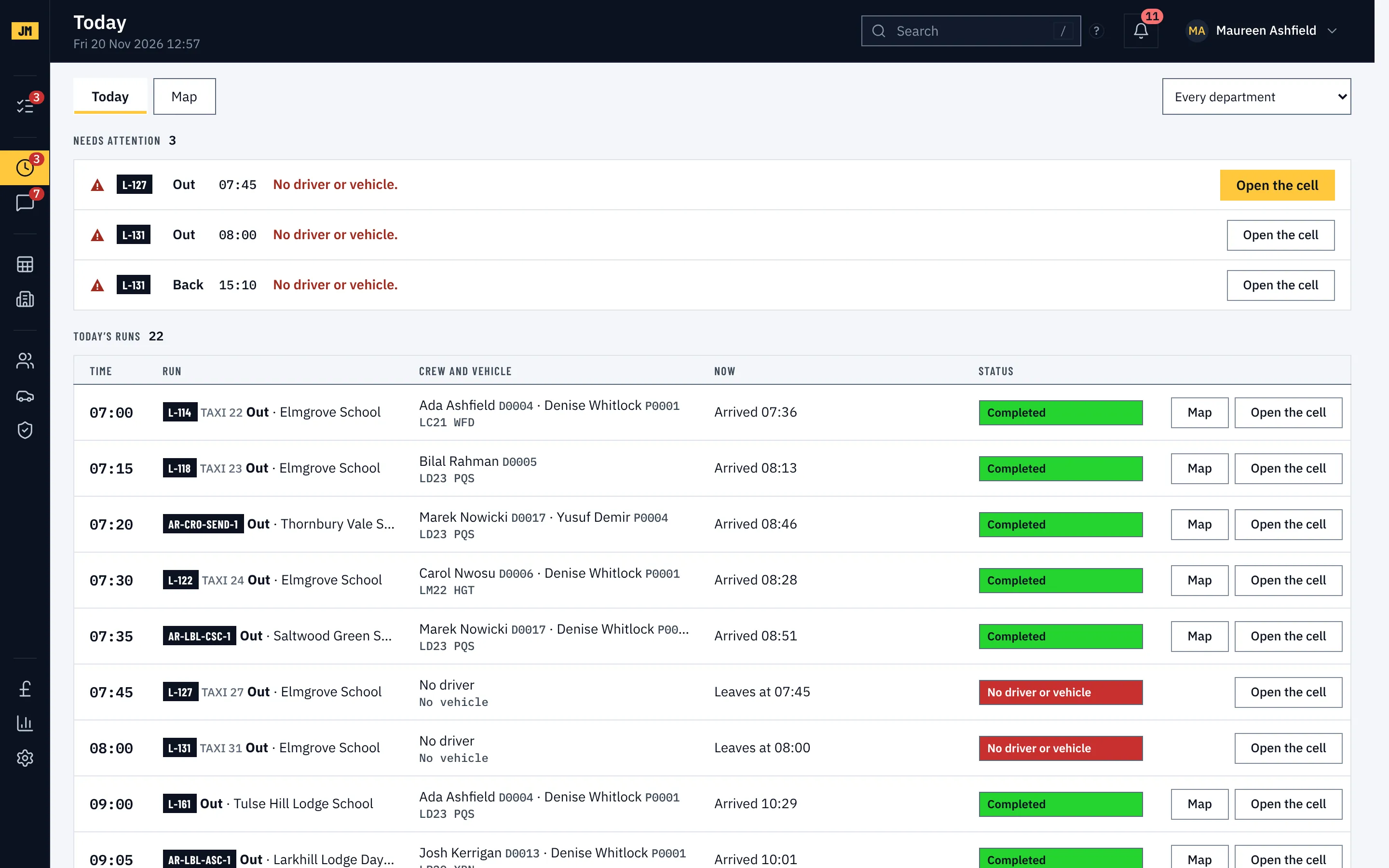
The office’s Today screen on the invented demo: three runs needing attention at the top, each with Open the cell, then today’s runs with their time, route, crew and vehicle, where each is now and its status.

Today, in one line

What needs you first, then every run of the day and where it is.

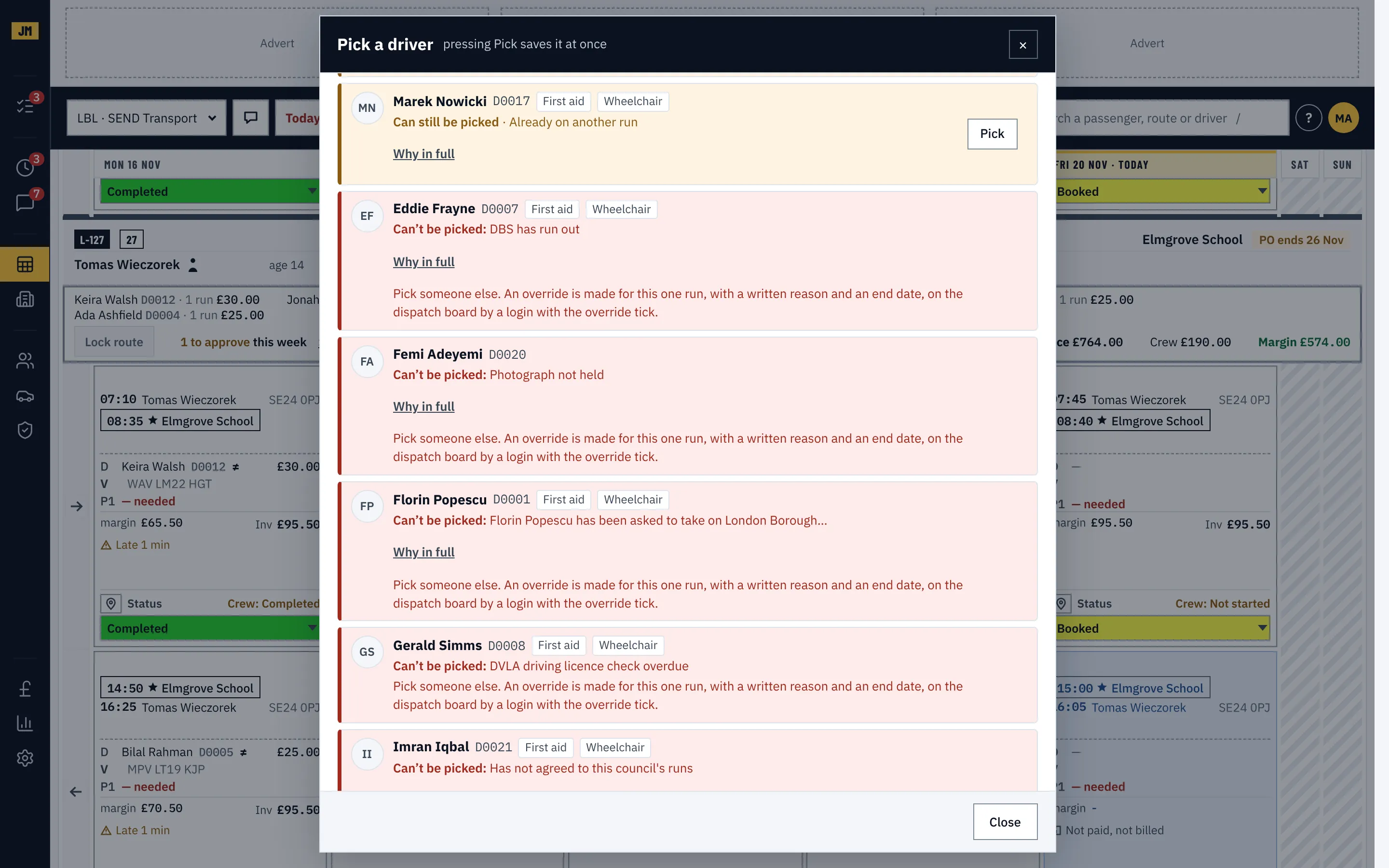
Pick a driver on the invented demo’s booking sheet: one driver can still be picked; the others say why they cannot - a DBS run out, a photograph not held, a DVLA licence check overdue - and that only an override with a written reason and an end date gets past.

Papers that say no

A driver or vehicle whose papers have run out cannot be put on a run. One sentence says why.

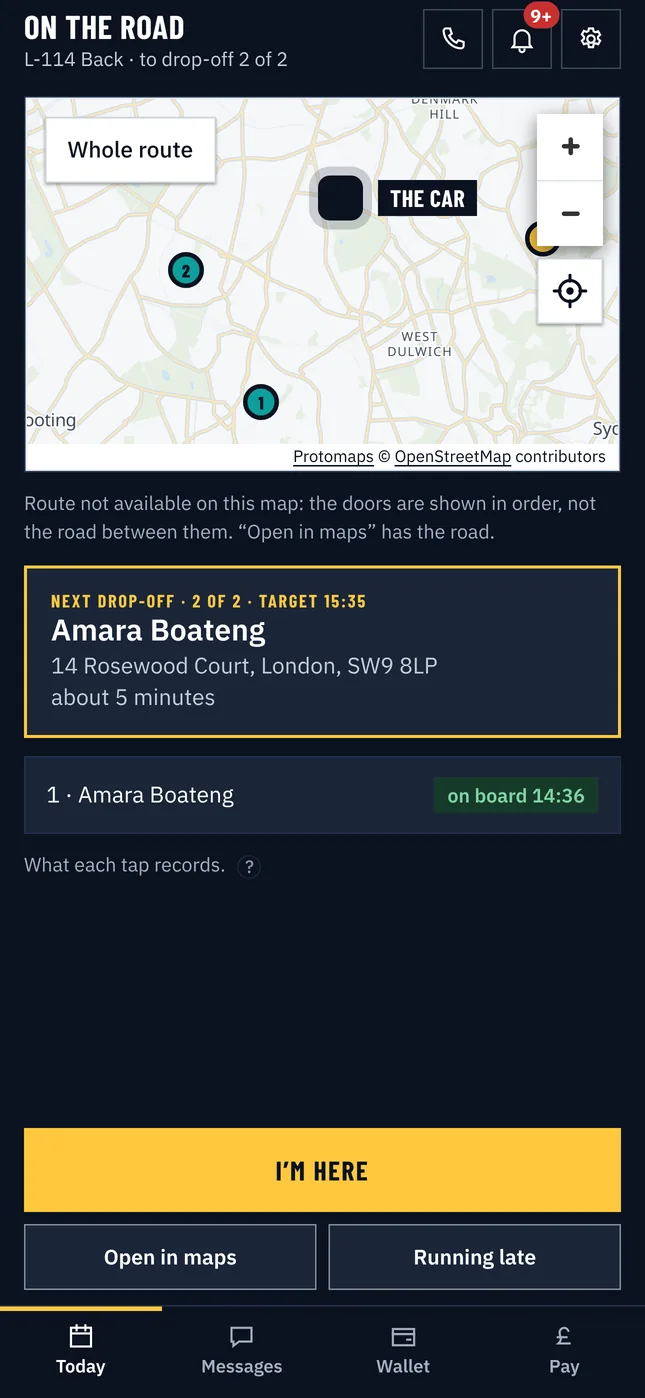
The crew app on the road, on the invented demo: the run on a street map, the next drop-off with its address, about 5 minutes away, and the I’m here button.

The crew app, free

Drivers and passenger attendants tap through the run and take the handover at the door.

The booking sheet

Everything your office does, it does from here

Status is a colour, a symbol and a word

Booked, On the road, Completed, Cancelled on arrival, Cancelled, each with one symbol, the same in the apps and the portal. The crew’s taps show first; you set it; the customer sees yours. The status sets the money.

Copy a week, a term

One press. INSET days come up striped; delete them if right. Nothing already booked is ever replaced.

The box at the end of a route

Its money for the week as booked, with what has run so far beside it, and its lock. A cell that stops the lock flashes red and says why.

All key details at the front

Children, crew, schools, times, postcodes - on the cell, not behind it. Hover for more.

Pricing your routes

New to school transport?

Journeymark helps operators new to the industry price their routes. Its per-mile matrix suggests a price for every run. You set every price.

Accounts

Without a spreadsheet

Everything by week commencing. Invoices with one line a run, grouped by route, from locked weeks. Crew invoices into balances, with a self-billing invoice in each crew member’s app. Pay into the bank only when the totals match.

Customer invoices

Preview, build, download, export. A mistake: Cancel the invoice, then Build again.

Crew invoices

Tick the checked rows; each week becomes a balance line.

The double check

Type the bank’s total; Finish only lights when it matches.

Starting

Get set up, one step at a time

Add what you have

Each driver’s and vehicle’s papers, with their end dates — Journeymark shows whose are in date.

Check your policies

Then the walk

Your crew sign up with your code, you take on a customer and plan your first route. The rest is shown once.

Read the guides

Free for operators

Nothing to pay to start. The system: no fee per driver, vehicle or route. Pay only for the extras you choose.

Start free