For parents and carers
The car is on its way — and you know when.
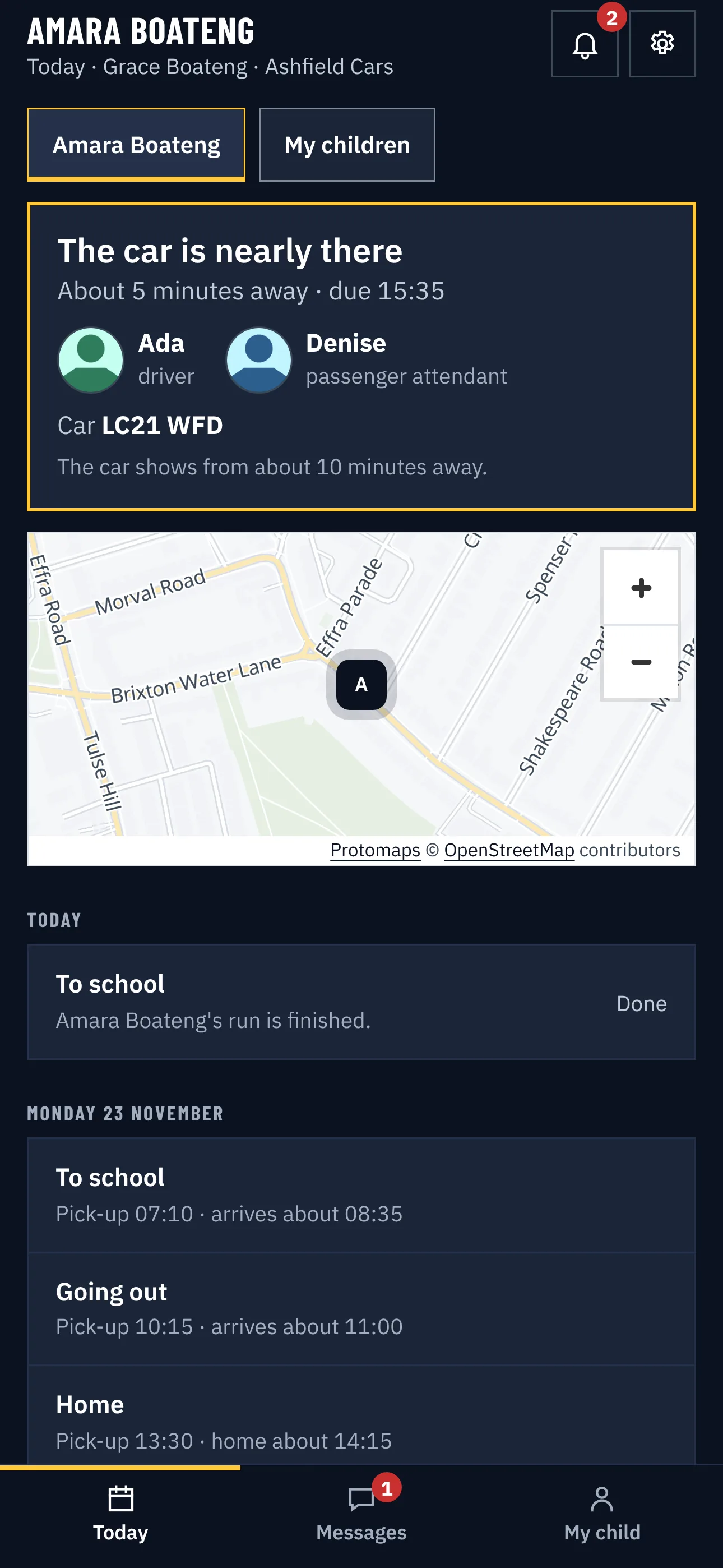
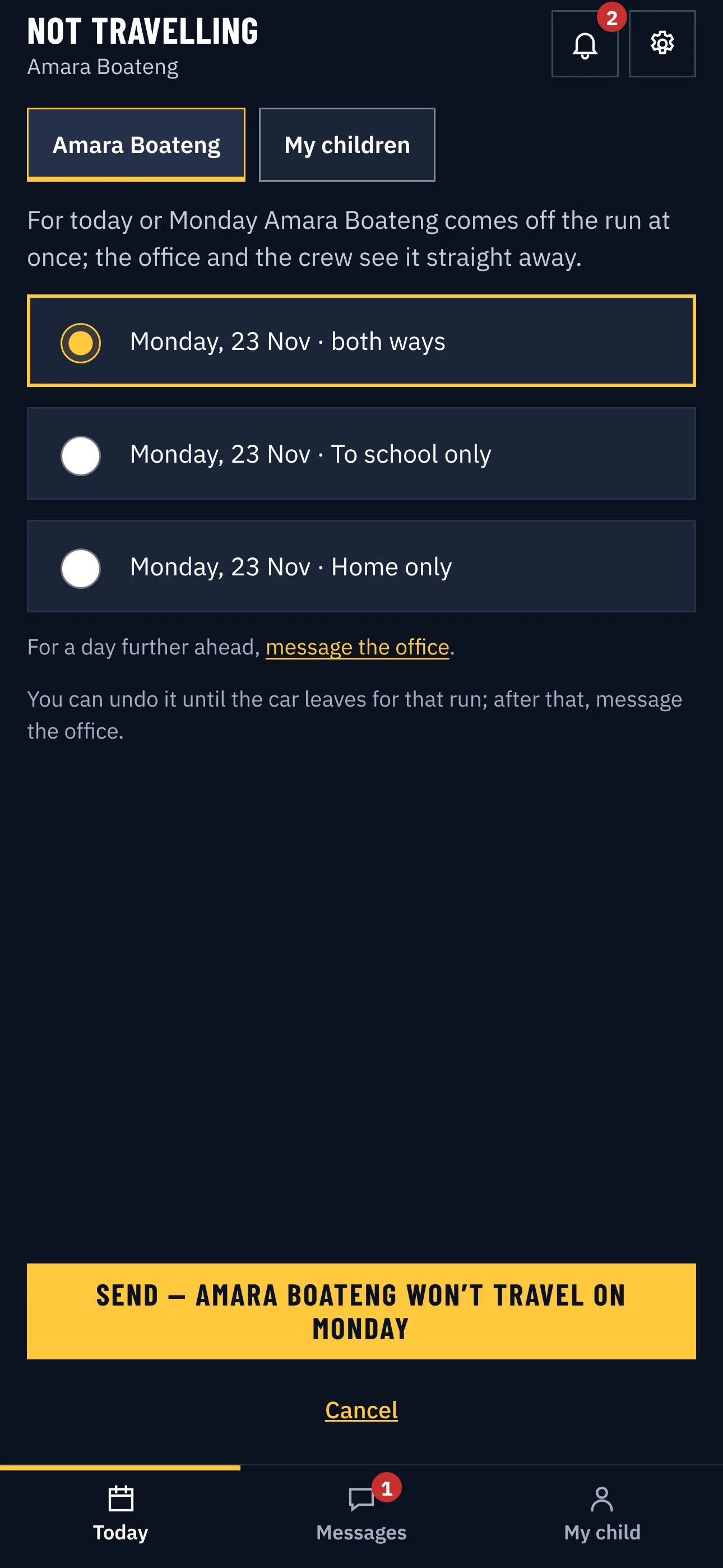
When your child’s transport is with a Journeymark operator, the family app tells you how long until the car reaches your stop, shows it on a map as it nears your door, tells you when they are on board and handed over, and lets you say “not travelling” in one tap.
The map, and other children’s stops
When other children share the run, the map shows only while the car is within 5 minutes, by road, of your door or the school. Before that the app says “On the way: about 18 minutes to your stop”, and nothing about anybody else’s stop. When your child is the only passenger, you see the whole journey.
Messages
Your own thread with the office
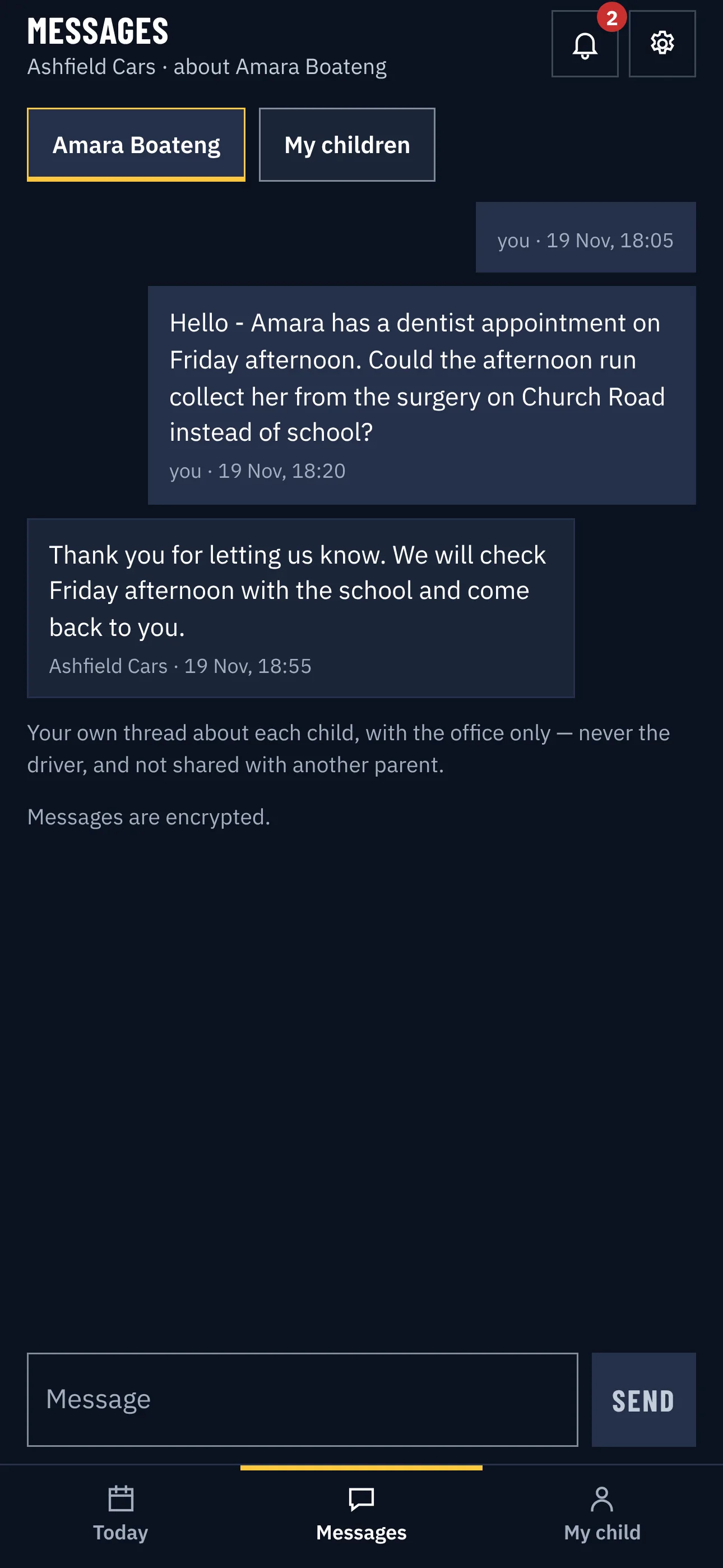
Write to the office about your child, and see when each message is delivered and read. Messages go to the office, never to the driver. Messages are encrypted.
Amara will not travel on Thursday morning. She has an appointment.
18:42 Read
Thank you. Thursday morning is taken off the run.
18:55
Thank you. She will be back on Friday.
18:56 Delivered
Four notices
Told at the four moments that matter
Nearly there
About five minutes before the car arrives.
Outside
The car is at your door.
On board
Your child is in the car.
Handed over
At school, or back to you, signed at the door.
Getting in
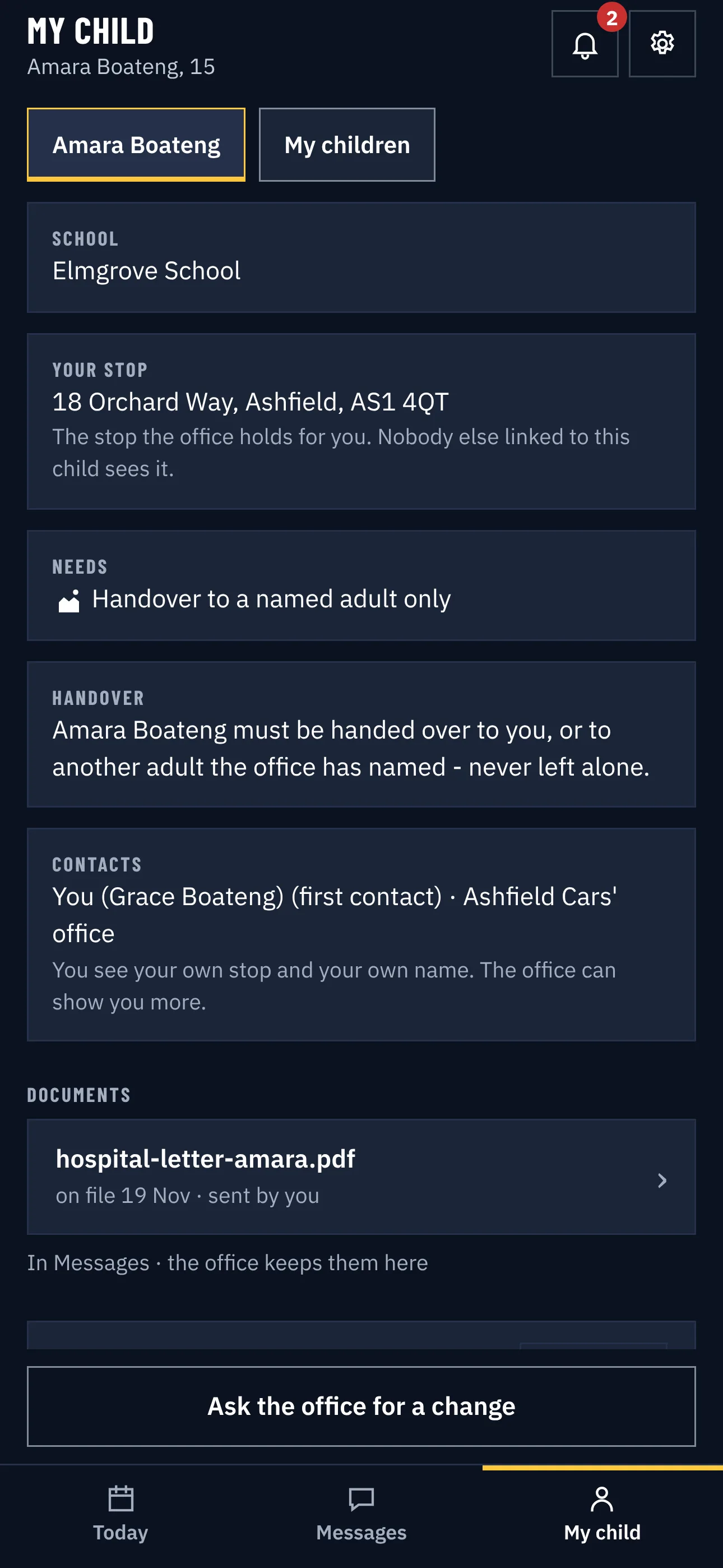
Only the office links you to your child
The office gives you a code
By name, for your child. In the app you link with that code: type it, scan it, or open the link the office shared. Nothing is guessed from a phone number.
Messages go to the office
Never to the driver directly. Call the office from the app in one tap; if app calls ever fail, Settings has an ordinary phone call to the office.
Two children
Each child has its own code; the same Google or Apple sign-in joins them in one app. Switch child at the top of Today.
Free for families
The app is part of the operator’s Journeymark. Android now; iPhone - coming soon.